

This page covers the product. For the technical integration specification, see the Point Topup integration overview.
Core value
The Waffo Point Topup API and solution complements Waffo’s payment solution. It reduces the complexity of payment integration for suppliers and acts as a tool for monetization and revenue maximization.Three integration modes
Waffo Point Topup supports three integration modes, covering suppliers with different technical setups.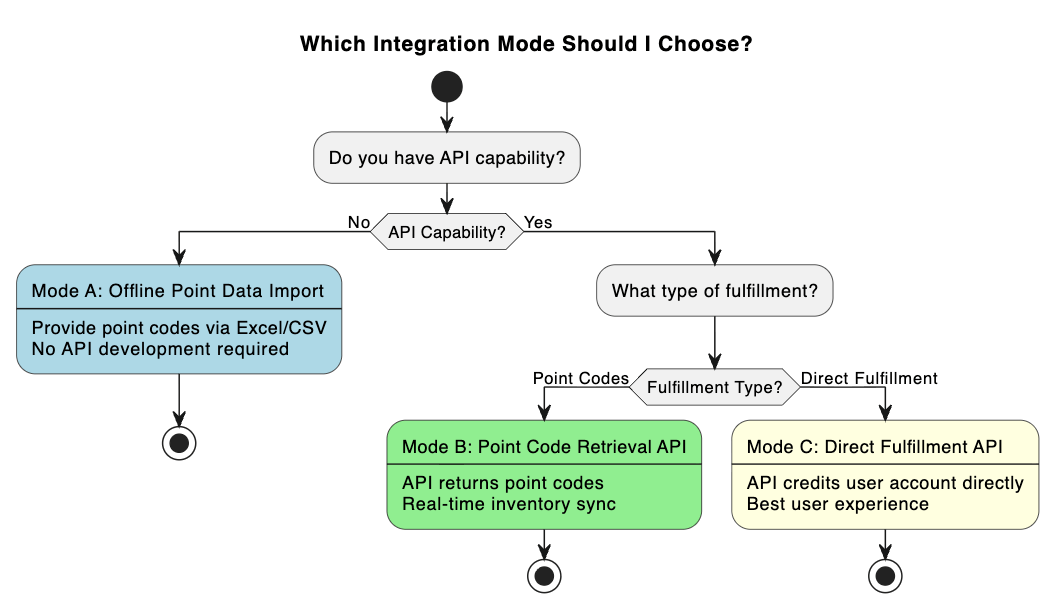
End-user experience
1
Storefront page
Mode A and Mode B land on the storefront page after the URL redirect.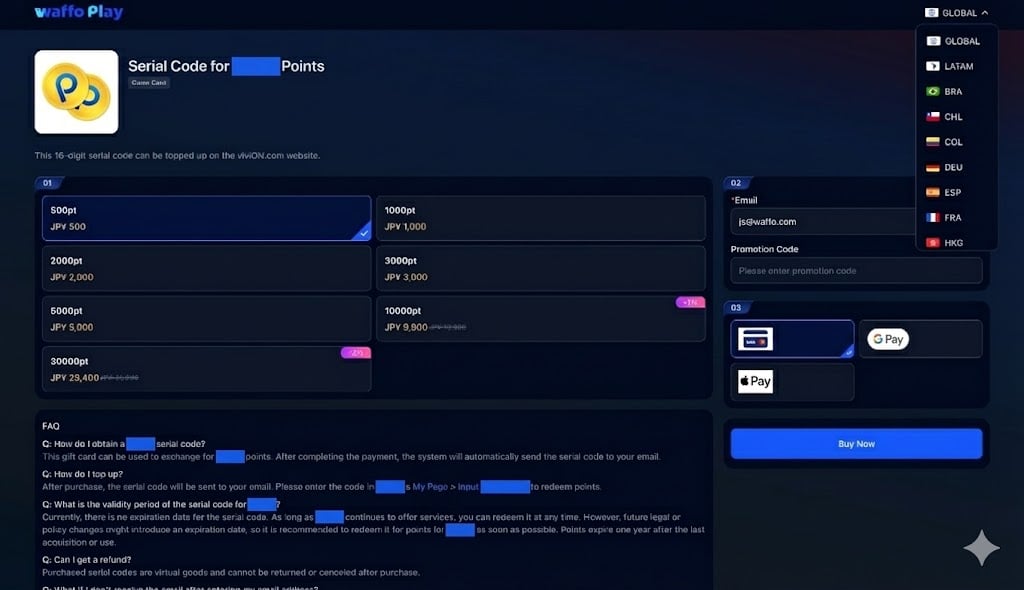
- Users browse and select an item, then enter an email address
- Users select a payment method; 20+ countries and regions are supported, each with its own site code
- Custom face value point code purchase is supported, for example any amount between 1000 and 50000 points
- An FAQ section explains how to use the point code and its expiration, where applicable
- A customer support link and email address cover the case where a user cannot receive the point code, for example after entering a wrong email address
- Logo and page style can be customized to the supplier’s requirements
2
Order confirmation page
All modes pass through the order confirmation page before checkout. The responsive design behaves consistently on desktop and mobile browsers. Clicking “Pay Now” continues to checkout.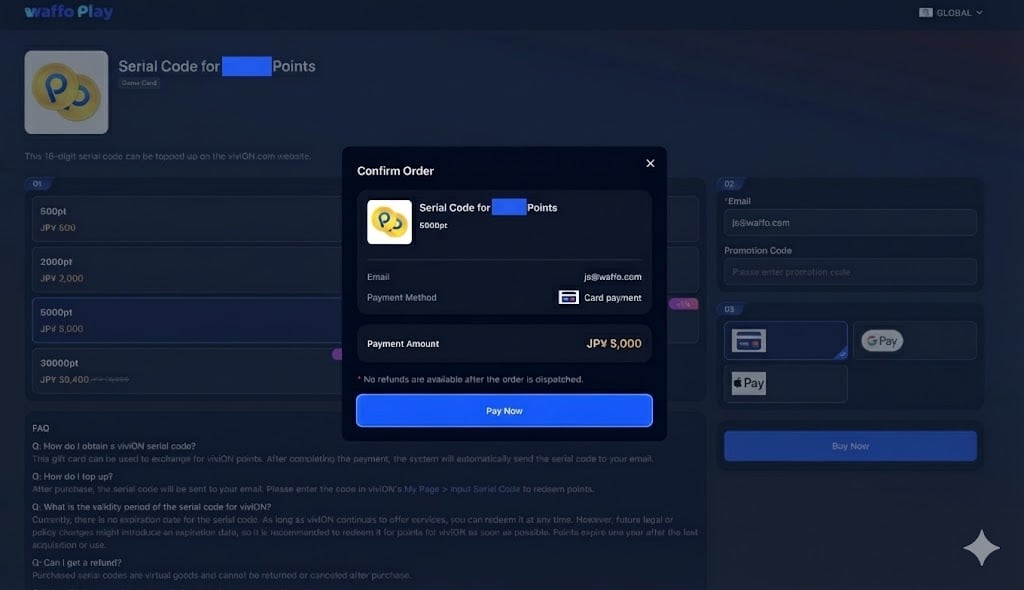
3
Waffo checkout
The user completes payment on the Waffo checkout page.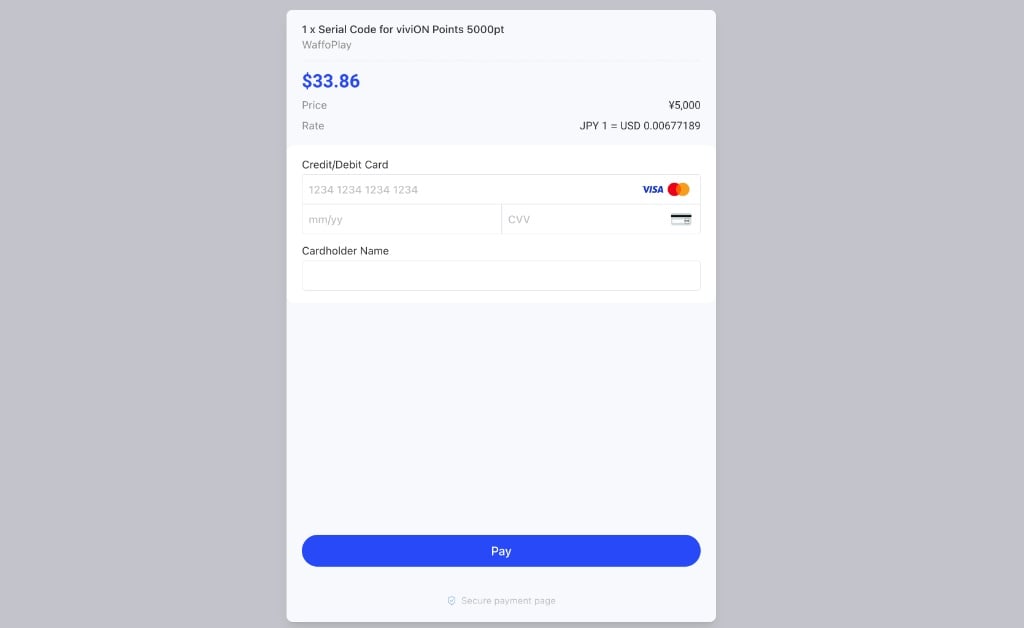
4
Payment success page and return
Users can download the purchase invoice or receipt, which helps if a claim or dispute comes up later. Clicking “Return” sends the user back to the supplier’s page, which can be a point code redeem page or an account balance page.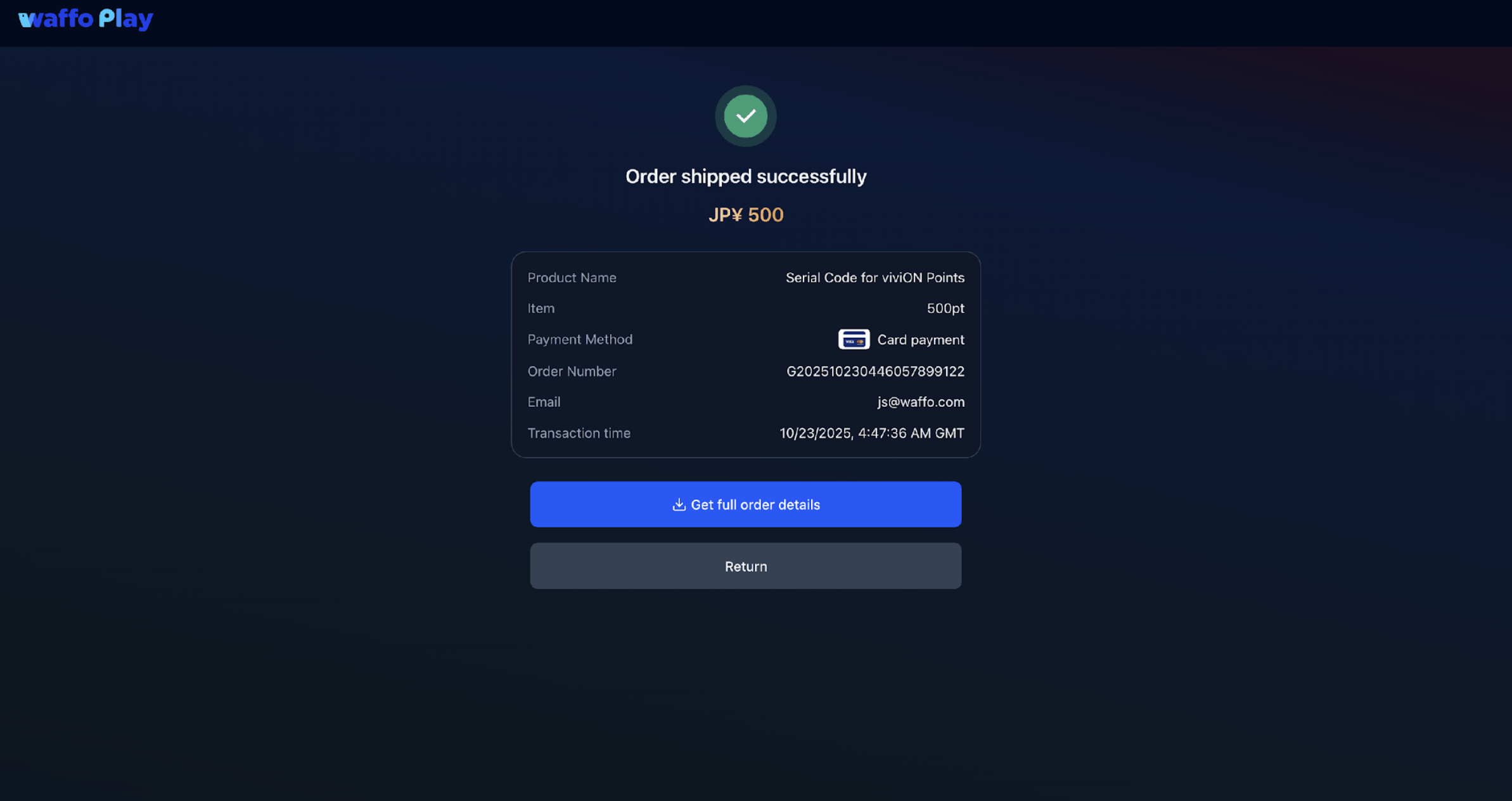
Settlement and reporting
Waffo Point Topup provides regular settlement reports containing:- Total points sold and total amount
- Revenue breakdown by SKU
- Remaining inventory status
- Settlement amount